

Amazon PPC Bulk Operations: How to Upload Campaign Files
Amazon PPC bulk operations allow sellers and advertisers to create, edit, and manage multiple Amazon advertising campaigns at once using bulk upload files. Instead of making manual changes inside Amazon Ads, bulk operations help save time, reduce errors, and scale campaign management efficiently.
< 1 min read
What Are Amazon PPC Bulk Operations?
Amazon PPC bulk operations are a feature inside Amazon Advertising that lets advertisers upload spreadsheet files to manage bids, keywords, budgets, and campaign settings at scale. Bulk uploads are commonly used by advanced sellers, agencies, and PPC automation tools to optimize large Amazon ad accounts efficiently.
Table of Contents
Navigate to https://advertising.amazon.com/cm/campaigns
This is where Amazon advertisers manage Sponsored Products, Sponsored Brands, and Sponsored Display campaigns before performing bulk operations.
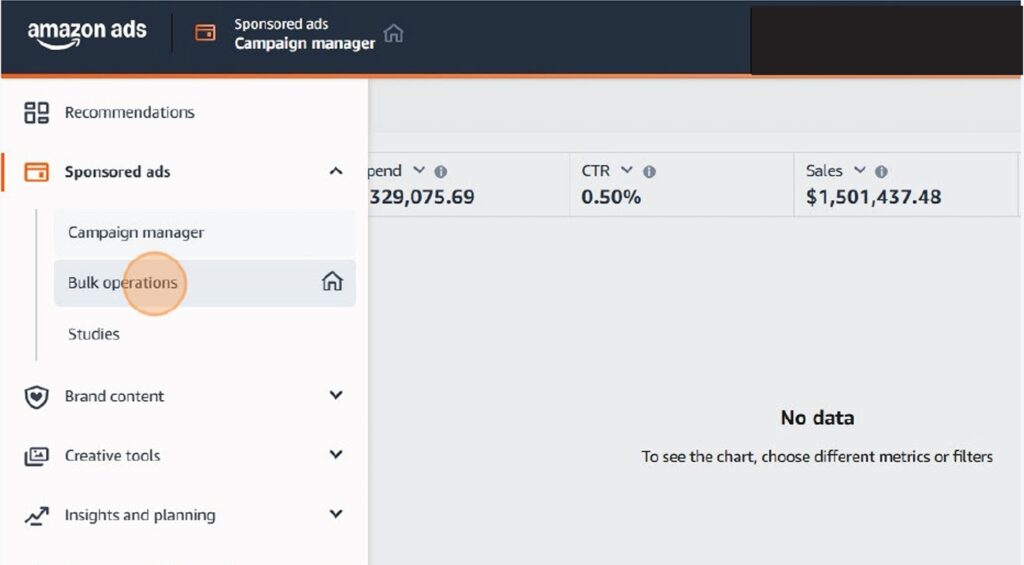
Access Amazon PPC Bulk Operations Click "Bulk operations."
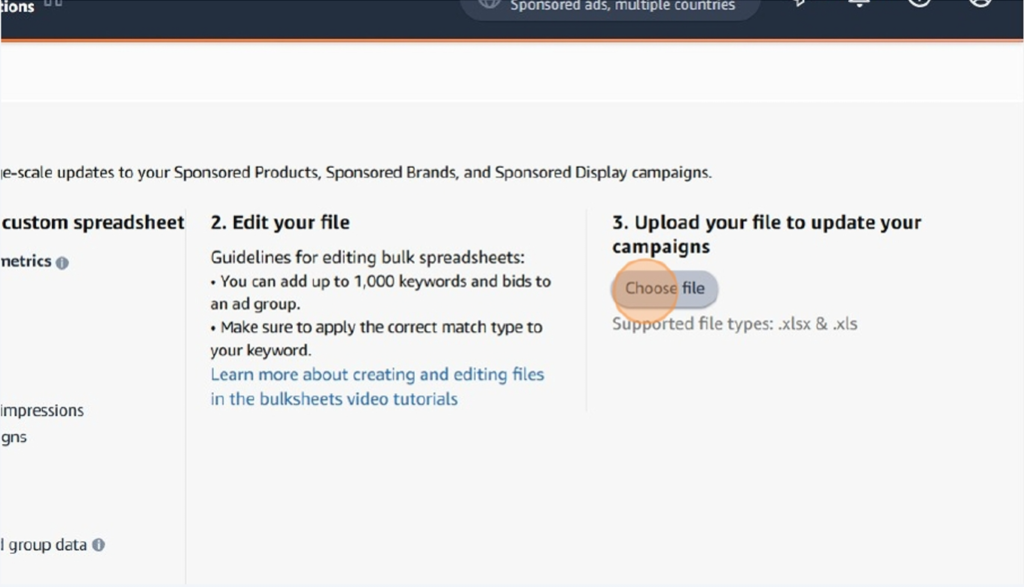
Upload Your Amazon PPC Bulk File Click "Choose file."
Amazon PPC Bulk Operations FAQs
When should I use Amazon PPC bulk operations?
Bulk operations are best used when managing large accounts, launching multiple campaigns, or making bid changes at scale.
Do bulk operations work for all Amazon ad types?
Yes, Amazon supports bulk uploads for Sponsored Products, Sponsored Brands, and Sponsored Display campaigns.
Are bulk uploads better than PPC automation tools?
Bulk uploads help with manual control, while AI tools like Bidventor automate bidding and optimization continuously.
If you want to automate Amazon PPC bidding instead of managing bulk files manually, explore ourAmazon PPC optimization toolsor learn howAI bidding improves Amazon ad performance.